
District 2 FLC

To register for FLC
Registration Deadline
1. Select your school
2. Enter the Password for your school
3. Follow the instructions below
Registration Instructions
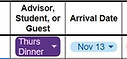
1. To register a Thursday Dinner Guest Only. Type in Name, Select options for Registrant Type (Thurs Dinner), Date (Nov 19), and Meal option. (Optional T-Shirt size) Click image to the right to see an example.
2. To register a One Night Stay. Type in Name, Select options for Registrant Type (Guest), Date (Nov 19), Meal option, Room Type, and Room Number. (Optional T-Shirt size) Click image to the right to see an example
3. To register an Early Arrival. Type in Name, Select options for Registrant Type, Date (Nov 17), T-Shirt Size, Meal option, Room Type, and Room Number. NOTE: Select Room Type based upon Conference rooming assignment Click image to the right to see an example
3. To register Conference Attendees. Type in Name, Select options for Registrant Type, Date (Nov 18), T-Shirt Size, Meal option, Room Type, and Room Number. NOTE: Roommates should have the same room number. Click image to the right to see an example


4. All entrees will autosave. Once completed select Print Invoice to print